
Developing Leaders Prepared to Inform Policy and Drive Results
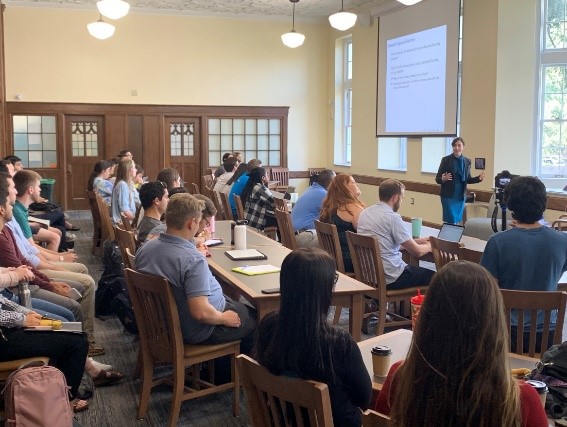
Micro-Credentials & Professional Learning
Interactive, Evidence-Grounded Trainings and Micro-Credentials for Leaders and Policy Analysts
The University of Florida’s Education Policy Research Center provides a range of professional learning opportunities from one-time in-person to micro-credentials through a variety of live and online facilitated trainings to asynchronous virtual trainings.
Safe Schools for Alex Florida School Safety Dashboard Training
- In-person and synchronous online facilitated sessions
- Tailored sessions for district and school leaders, teachers, or parent organizations
- In partnership with the Safe Schools for Alex Florida School Safety Dashboard
- No cost to participants
School Safety Data Professional Micro-Credential
- Asynchronous online learning modules
- 5 modules ranging from school safety data use to school safety action planning
- Interactive and applied school safety data analysis and applications
- Complete in 2-3 months; No cost to participants
School Safety Data Professional Micro-Credential registration instructions
This free course provides PreK-12 school stakeholders with information on school safety efforts, instruction on using the Safe Schools for Alex School Safety Data Dashboard and website, and instruction on how to apply this information to educational policy and practice. The video and information below, guides you through the registation process.
The registration system works similar to shopping websites where you can add different items to your cart and then go to your cart to check out. When you click the “Add to Cart” button under the course, you are then redirected to your cart with the course now added to it.
Continue by pressing the blue “Checkout” button, this will then prompt you to sign in. It’s important that you always remember what type of sign in method you use to avoid creating duplicate accounts. If this is your first time registering through the system, choose your preferred sign in method and remember your choice for future use.
After you choose the sign-in method, you will then be prompted to put in your account login information or choose the account that you are already signed into. For email address enter any email that you might have previously used with UF. If you do not have a previous email, simply type in the same email that you just used to create the account.
After you’ve provided all information click the “Submit” button and the system will then send a verification code to your email. Head to your inbox and copy the code into the space provided. After your email is verified, click the “Submit” button again. This will then lead you to create your profile. Once complete, click “Continue Checkout” to continue.
Proceed through the checkout process for this free course and you’ll be fully registered for that course.
If you have any questions please reach out to 352-392-8660 or questions@ad.ufl.edu.