

UF Faculty Supervisors
Final Intern & Practicum Evaluation
How to Access, View, and Submit Final Intern/Practicum Evaluations
Ready to Begin?
Login to Student Learning & Licensure to complete your intern and practicum evaluation
Complete Your Evaluation
Expand each step to view instructions and screenshots
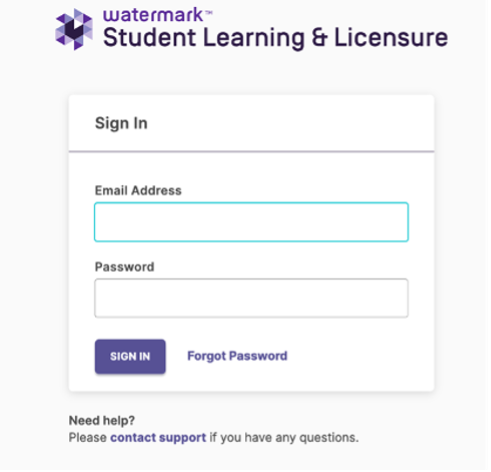
Step 1 : Log in
Using a Firefox or Google Chrome browser, visit https://sll.watermarkinsights.com/ and bookmark this page for future reference.
Enter your official UF email address (@ufl.edu) and password.
If this is your first time logging in, choose Forgot Password and follow the password setup process. Sign the user agreement to proceed to the homepage.
Make note of your password for future use.
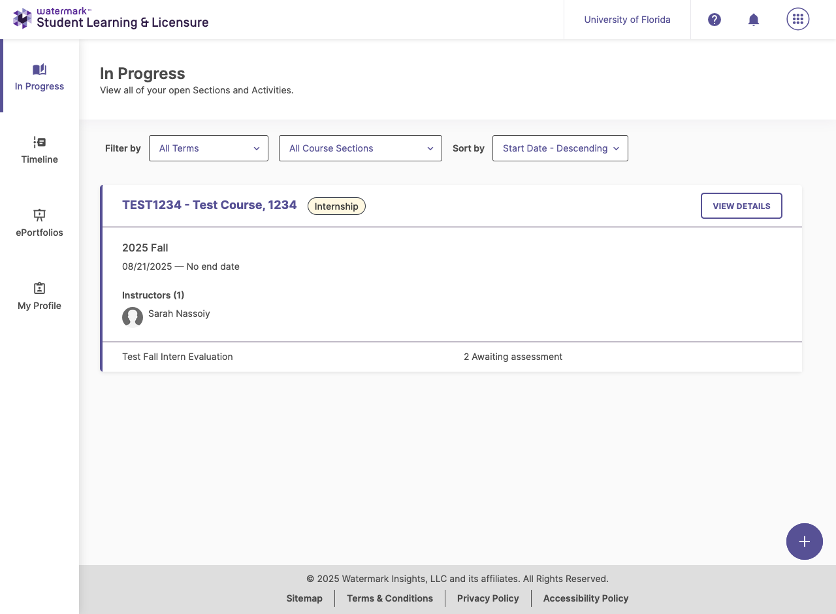
Step 2 : Enter the “In Progress” landing page
- The courses your intern/practicum students are assigned to for their placement.
- Placement start and end dates, which may be approximate because they vary by program and often follow district schedules.
- A course instructor.
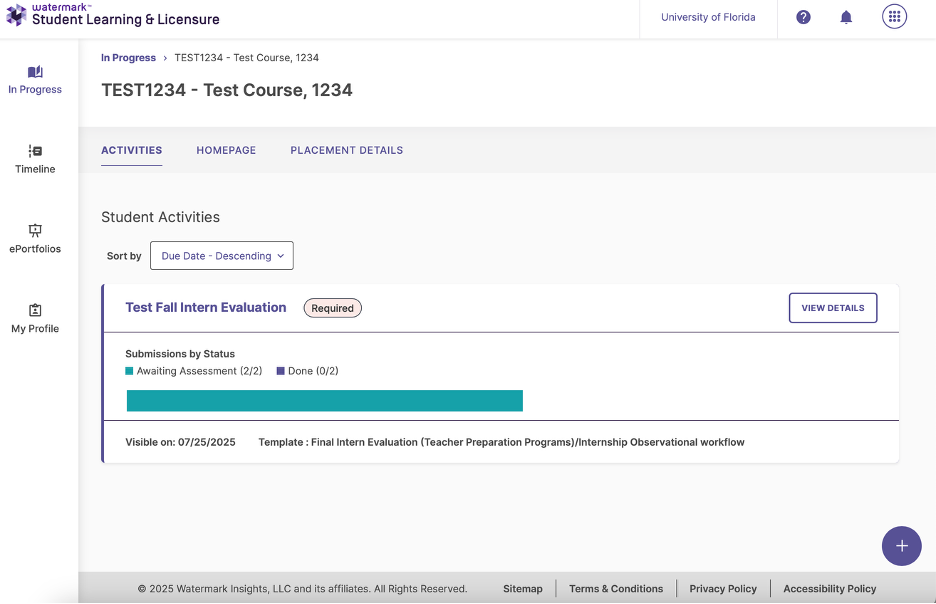
STEP 3: Enter the “Activities” page
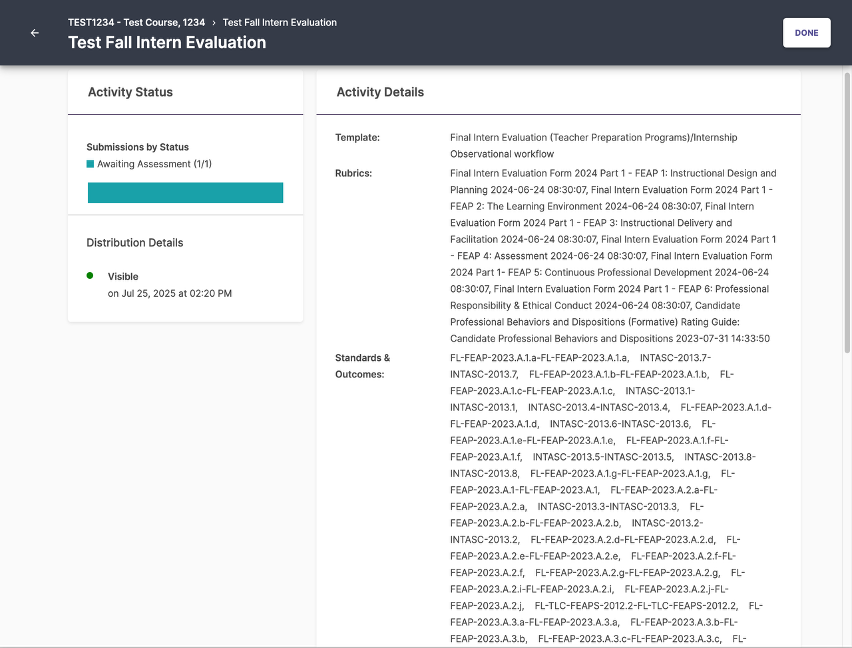
STEP 4: Select the student you will evaluate
Once you click on the activity title for the activity you want to complete, you will be brought to a page that shows the standards the activity assesses, as well as the students you need to evaluate. For University of Florida Faculty Supervisors, this may be one student or multiple students.
The student(s) whose evaluation(s) you need to complete are listed on the bottom right-hand side of the page. If the evaluation assesses many standards, you may have to scroll down quite a bit to see the student(s) assigned to you.
A sample of this page is shown alongside these instructions. In the screenshot, the UF Supervisor is assigned to one student whose name is Kim Roberts.
To access the student’s evaluation and associated rubrics, click on the student’s name.

STEP 5: Completing and Submitting the Evaluation
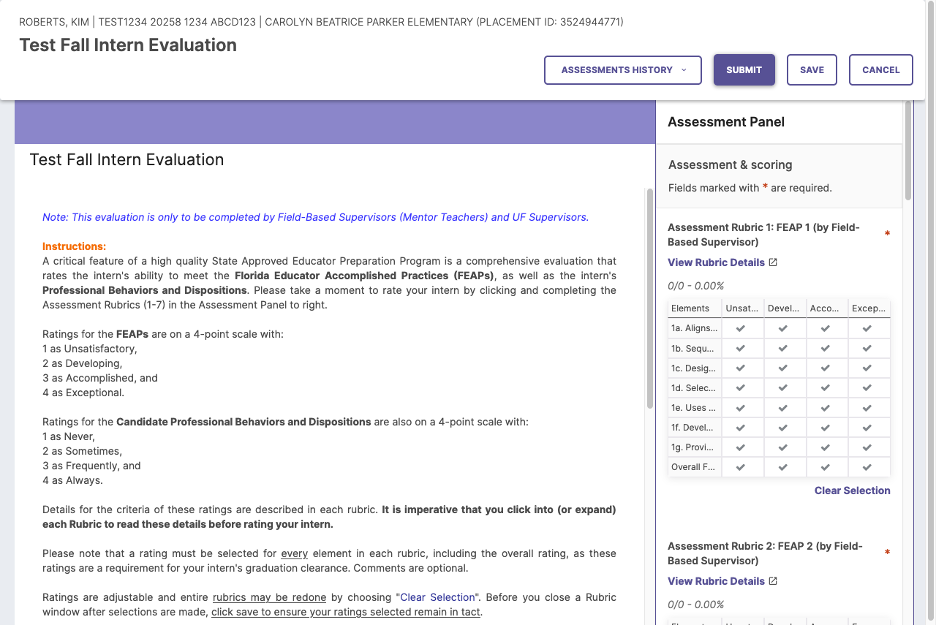
After clicking the name of the student, you will land on the evaluation page. This page includes instructions on how to complete the evaluation by using rubrics for scoring in the Assessment Panel. Follow the instructions to score your student with the appropriate ratings.
If you plan to partially complete the evaluation and return to it later, be sure to click SAVE (upper right). Click SUBMIT to turn in the evaluation.
A sample of an evaluation with an assessment rubric is shown alongside these instructions. For UF Supervisors, each rubric will have (by UF Supervisor) by the title.
Additional Guidance
Viewing mentor teacher evalution
Supervisors can also view completed mentor teacher evaluations. Mentor teacher evaluations will only be visible once the mentor teacher has officially submitted their ratings. Completed mentor teacher ratings may assist you in evaluating your assigned students, as well as inform you about the completion of evaluations.
Mentor evaluations and UF Supervisor evaluations are distinguished by the following labels next to the assessment rubric titles:
- (by Field-Based Supervisor) — mentor teacher’s evaluation
- (by UF Supervisor) — UF supervisor’s evaluation
UF Supervisors can only edit and submit ratings for assessment rubrics with (by UF Supervisor) in the title. Mentor teacher evaluations with (by Field-Based Supervisor) are view-only for the UF Supervisor.
Mentor teacher evaluations usually appear above UF Supervisor evaluations in the SLL Assessment Panel, so UF Supervisors may need to scroll down to score their students.
Shown alongside these instructions is a sample of both assessment rubrics in a UF Supervisor’s view.
Correcting a submitted evalution
If you submit an evaluation and determine that you made a rating in error, click the UNDO button at the top right of the evaluation rubrics. The UNDO button appears in the same position as the SUBMIT button, because SUBMIT changes to UNDO once an evaluation is submitted.